Finance Planner – the browser app
Your budget book in the browser: simple, private and available in English, German, French, Spanish and Turkish. No account, no installation – your data stays on your device.
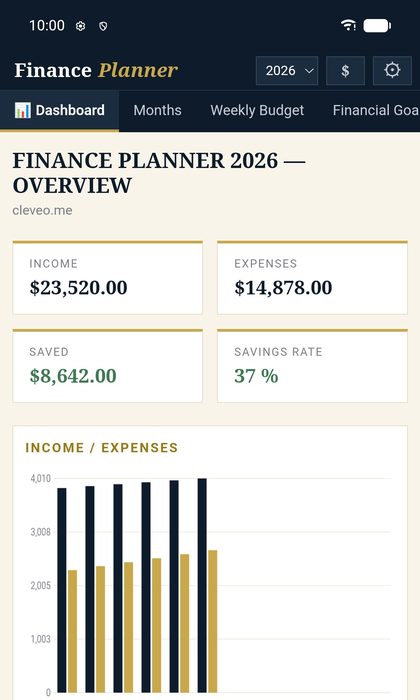 Overview
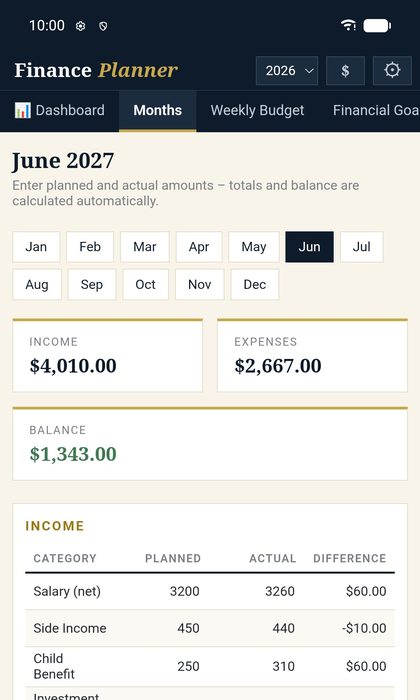 Monthly planning
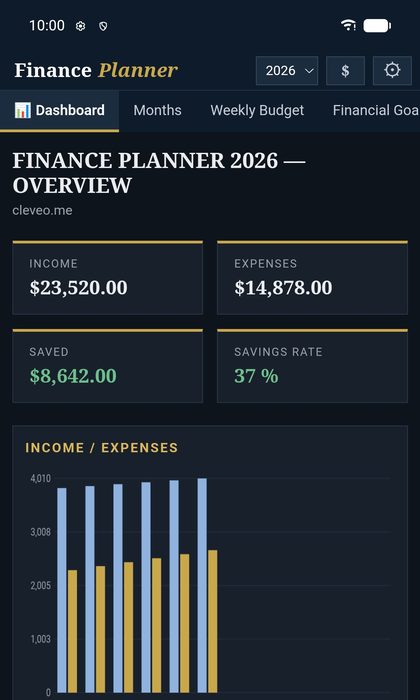 Dark mode
Light – free
- All 12 months: income & expenses (planned and actual)
- Automatic totals and balance per month
- Yearly overview with chart and savings rate
- A new year starts automatically, past years stay saved
- Backup & restore of your data
- Light/dark, 5 languages, currency by country
✦ Pro – €9.99 per year
- Weekly budget with weekly totals
- Financial goals, savings goals, debt tracker, subscriptions & contracts, wish list
- Monthly review and year-end review
Yearly subscription, renews automatically every year and can be cancelled anytime in the app. No VAT is charged in accordance with § 19 UStG. Secure payment via Stripe; you receive a license key by email.
Install as an app
- Chrome, Edge, Brave, Opera (Windows, Mac, Linux, Android)
- Open the app and click the install icon in the address bar – or use Settings → “Install app” inside the app.
- Safari on iPhone/iPad
- Share icon → “Add to Home Screen”. This is the only way your data is kept permanently.
- Safari on Mac
- File menu → “Add to Dock”.
- Firefox
- Works in a normal tab (bookmark it). On Android: menu → “Add to Home screen”.
Good to know
Where is my data stored?
Only in your browser on your device – not on our servers. There is no device sync; use Backup & restore to move your data to a new device.
Does it work offline?
Yes, after the first visit.
Is there an Android app, too?
Yes, the Android app is coming soon on Google Play – with the same Light/Pro model.
How do I cancel Pro?
In the app under Settings → “Manage / cancel subscription”.
App privacy policy · Note: Finance Planner is a planning tool and does not provide financial advice.